Premiere Pro Automation · By Ahmed Nazif

Edit Smarter. Not harder.

AI-powered tools that live inside your Premiere Pro timeline.
No exports. No roundtrips. Just results — in seconds.

Always Free
Windows 10 / 11
Premiere Pro 2022+
All-in-one installer
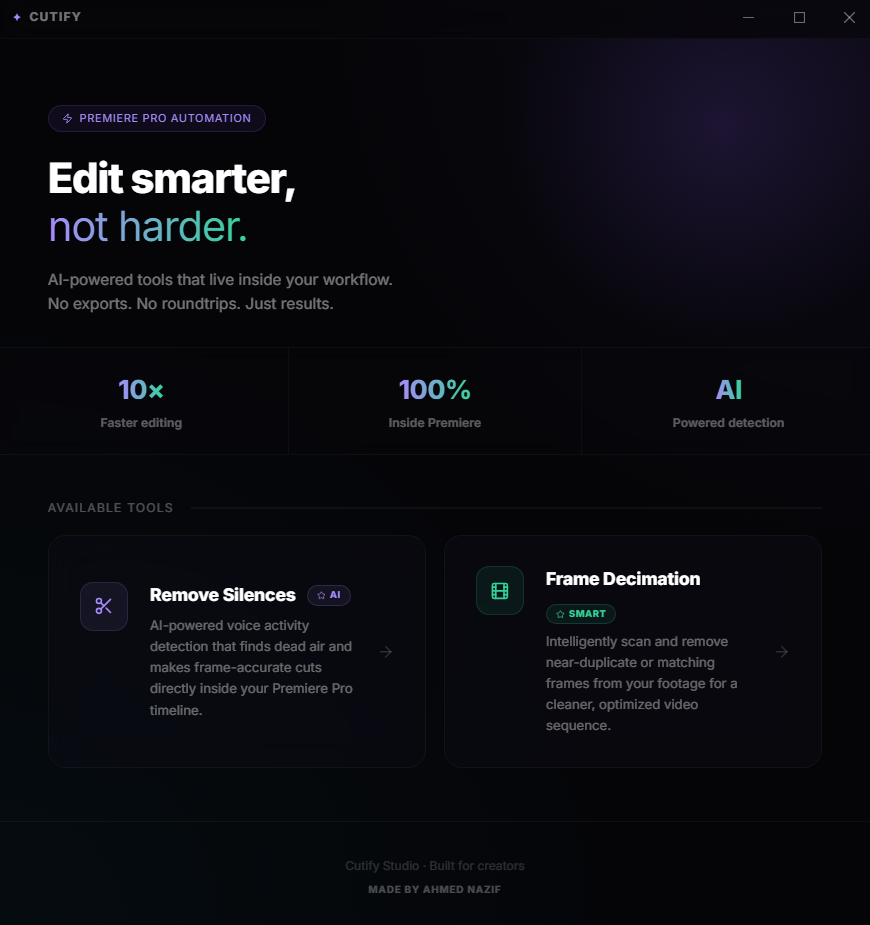
✦ CUTIFY — Studio v1.0
Cutify Plugin Interface
Scroll to explore
0 × Faster Editing
0 % Inside Premiere
0 AI-Powered Tools
0 Exports Required
What it does

Two tools.
Endless time saved.

Every feature is built to eliminate the boring parts of editing and let you focus on what matters — your story.

AI-Powered

Remove Silences

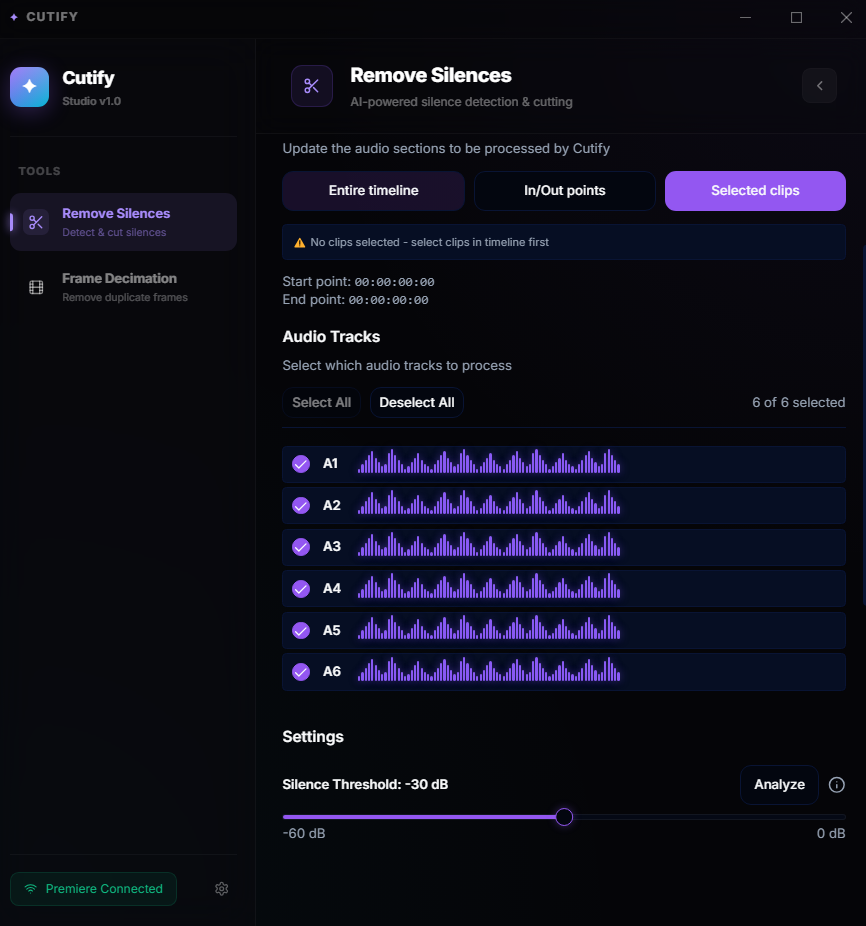
Our AI voice-activity detection pinpoints dead air with frame-accurate precision and makes the cuts directly inside your Premiere timeline. Select entire timeline, In/Out points, or individual clips — your choice.

  • Adjustable silence threshold
  • Per-track audio selection
  • Timeline, In/Out, or clip mode
  • Frame-accurate cuts
Remove Silences UI
Smart

Frame Decimation

Intelligently scan and remove near-duplicate or matching frames from your footage for a cleaner, optimized video sequence. Perfect for screen recordings, gameplay, and time-lapses.

  • Near-duplicate detection
  • Adjustable similarity threshold
  • Optimized video output
  • No re-encoding required
Frame Decimation UI

Lightning Fast

Process entire timelines in seconds, not minutes.

Zero Setup

Python, Node.js & FFmpeg are bundled. One installer does everything.

Native Integration

Lives inside Premiere Pro's Extensions panel. No switching apps.

Inside the plugin

A closer look.

A clean, beautiful interface that feels like it belongs inside Premiere Pro.

Remove Silences Panel
App Screenshot
Setup

Up & running in 3 steps.

From zero to your first automated cut in under 5 minutes.

01

Download the Installer

Click the download button and save Cutify-Setup-1.0.1.exe. If Windows SmartScreen appears, click More Info → Run Anyway — the app is safe and unsigned.

02

Run the Installer

The installer automatically sets up Python, Node.js, and FFmpeg. No manual configuration required. Just click through and let it do its thing.

03

Open in Premiere Pro

Go to Window → Extensions → Cutify inside Premiere Pro. The panel opens, Premiere connects, and you're ready to start cutting.

All-in-one installer includes:
Python 3.10 Bundled
Node.js 18 Bundled
FFmpeg Bundled
Free forever

Stop wasting time
on the boring parts.

Download Cutify and get back to creating.

Requires Adobe Premiere Pro 2022 or later · Windows 10 / 11